

Who it’s for:TechnicianProject LeadAdmin
Available on:Mobile
TrueRestore supports two 360° camera brands: Ricoh Theta and Insta360. You can connect your camera to your phone, take photos from the TrueRestore app, and upload them automatically.
The first time you use a 360° camera on a job, select your camera under Select 360 Camera Type. TrueRestore will remember your selection.
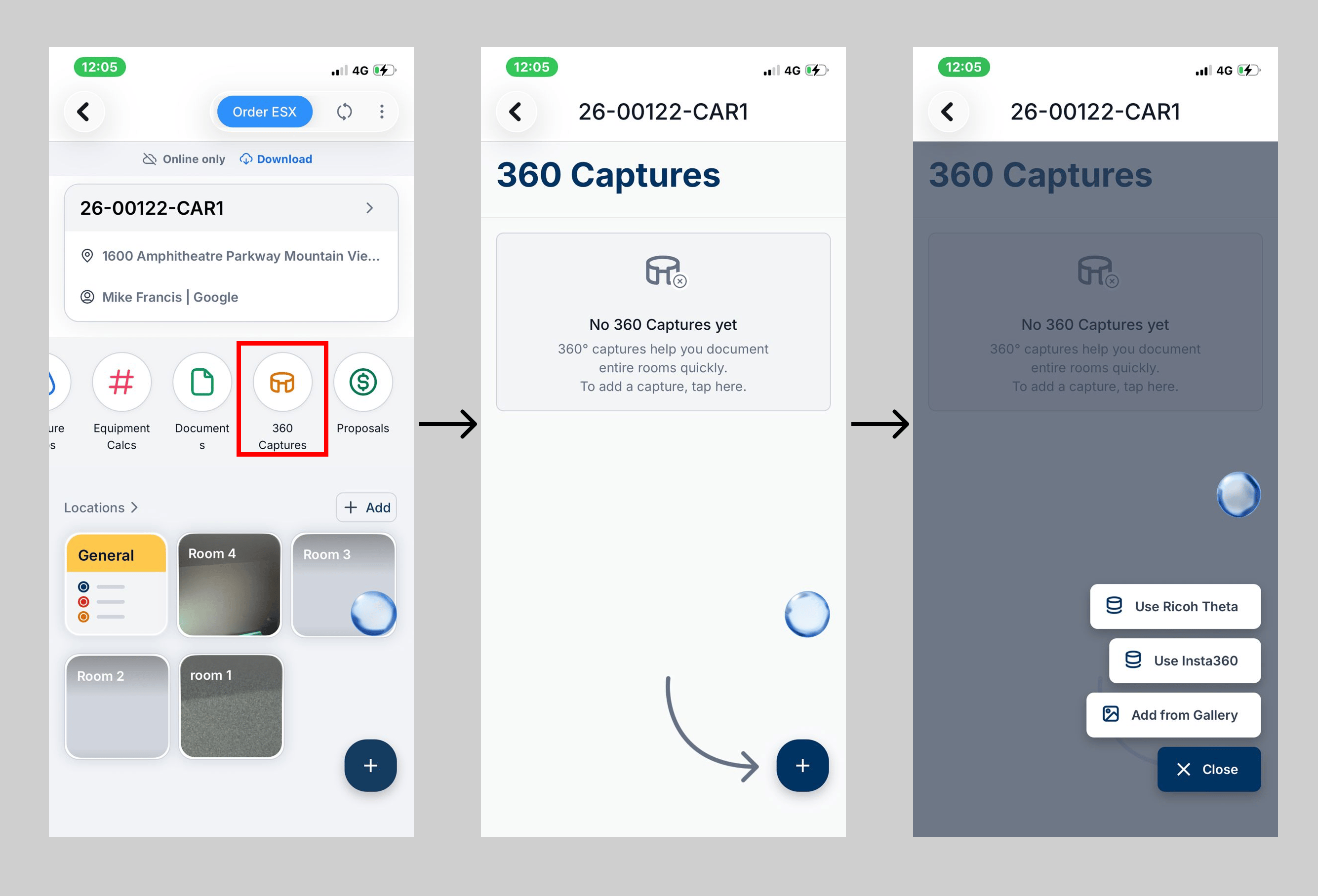
- Ricoh Theta
- Turn on your Ricoh Theta and connect your phone to the camera’s Wi-Fi network.
- Open a location and go to Captures 360.
- Check the connection status and follow the instructions in Captures 360 if you need to reconnect.
- Once connected, use your phone to trigger the 360° photo.
- Insta360
- Pair your camera from the Insta360 Connection screen.
- Open a location and go to Captures 360.
- Use the Captures 360 controls to take the photo.
After Capturing
Once the photo is captured, it is transferred to your device and uploaded automatically. 360° captures are grouped into sessions for each location and can be opened in an immersive viewer. This allows anyone reviewing the job to look around the captured space as if they were standing there.Camera drops connection mid-shoot? See My Ricoh Theta camera won’t connect for the exact troubleshooting checklist for both camera brands.