Who it’s for:TechnicianProject LeadAdmin
Available on:WebMobile
The Equipment section allows you to keep track of the equipment associated with each location within a job. You can add equipment to a specific location and record the details needed to manage and document the equipment used during the work.
Before you can add equipment to a job, the equipment models your company uses need to be added to your TrueRestore account.
You only need to add each make and model once. Once a model is added, it becomes available for your team to select when adding equipment to jobs.
Add an Equipment Model
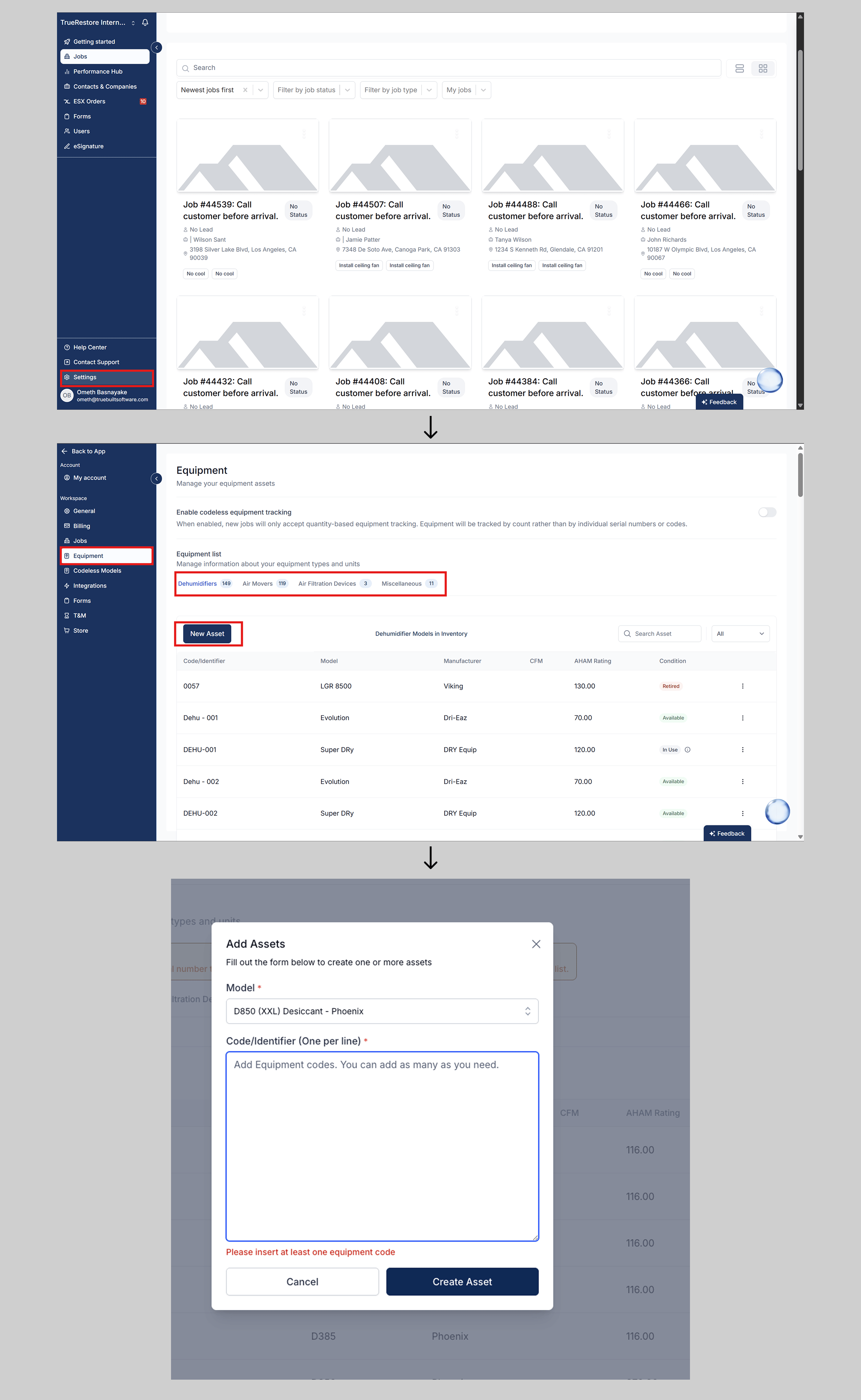
Depending on how your company tracks equipment, go to:- Settings → Equipment for legacy equipment tracking
- Settings → Codeless Models for codeless equipment tracking
- Select Add Equipment Model.
- Choose the equipment category:
- Dehumidifier
- Air Mover
- Air Filtration Device (Air Scrubber)
- Miscellaneous
- Enter the equipment name or make/model.
- Enter the capacity information required for that equipment type.
- Dehumidifier: PPD and AHAM
- Air Mover: CFM
- Air Filtration Device: CFM and HEPA rating
- Miscellaneous: Enter the applicable equipment information.
- Save the equipment model.
Adding Multiple Equipment Models at Once
You can add more than one equipment model without closing the Add Assets panel. When adding equipment, press Enter after each model and add the next one on a new line. For example: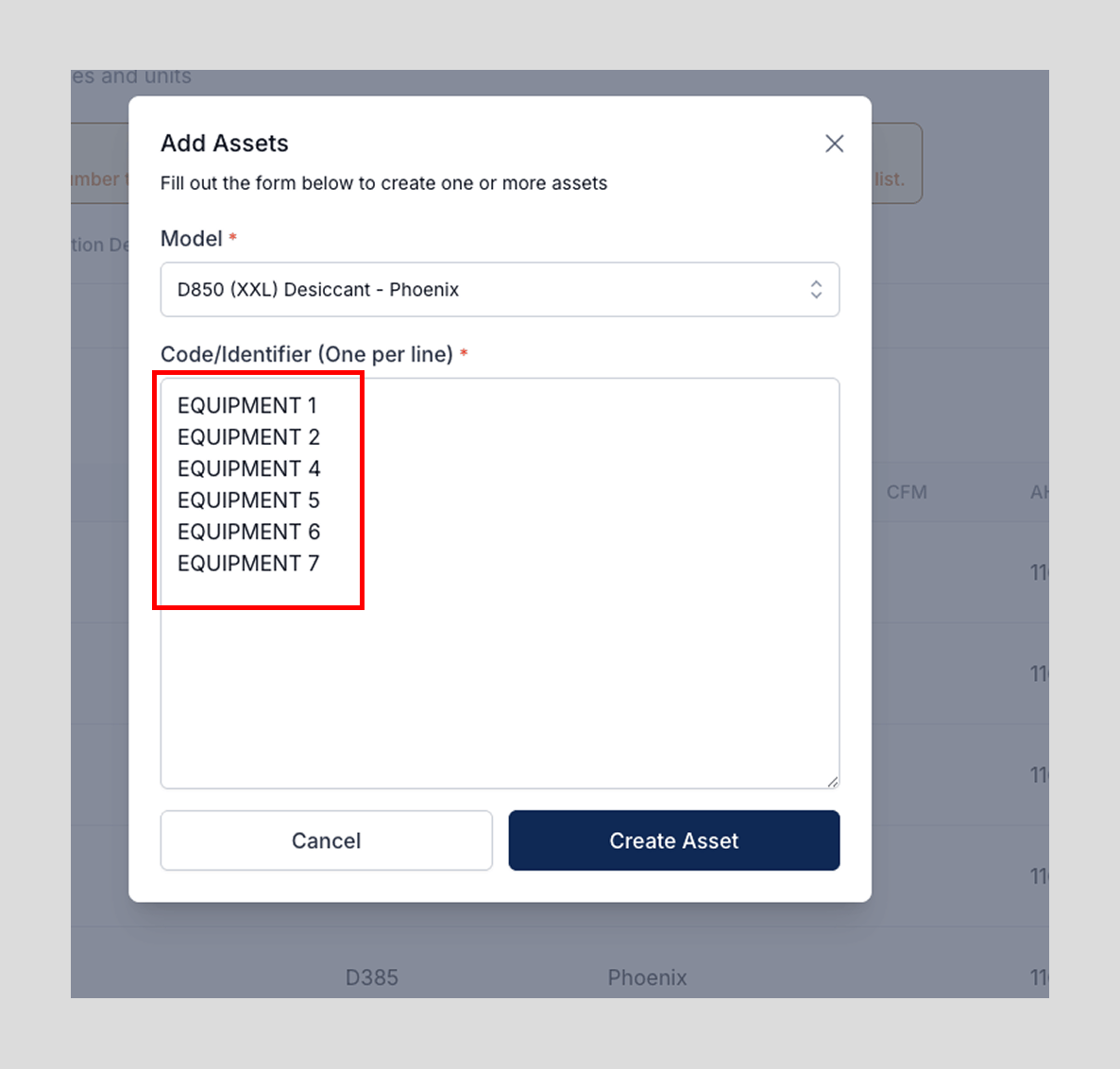
Legacy Equipment Tracking
If your company uses legacy equipment tracking, you also need to add each physical equipment unit under its model. For example, if your company has five units of the same dehumidifier model, you can create the model once and then add each individual unit underneath it. Each physical unit can then have its own equipment history and placement information.Codeless Equipment Tracking
With codeless equipment tracking, you only need to add the equipment model. You do not need to register each physical machine individually. Instead, your team records how many units of each model are being used on a job.Tip: Most companies only need to add a small number of equipment models. Even if you own many individual machines, several of them may use the same make and model, so you generally don’t need to create a separate model for every physical unit.You can add equipment to a specific location within a job from the Equipment section.
On Mobile
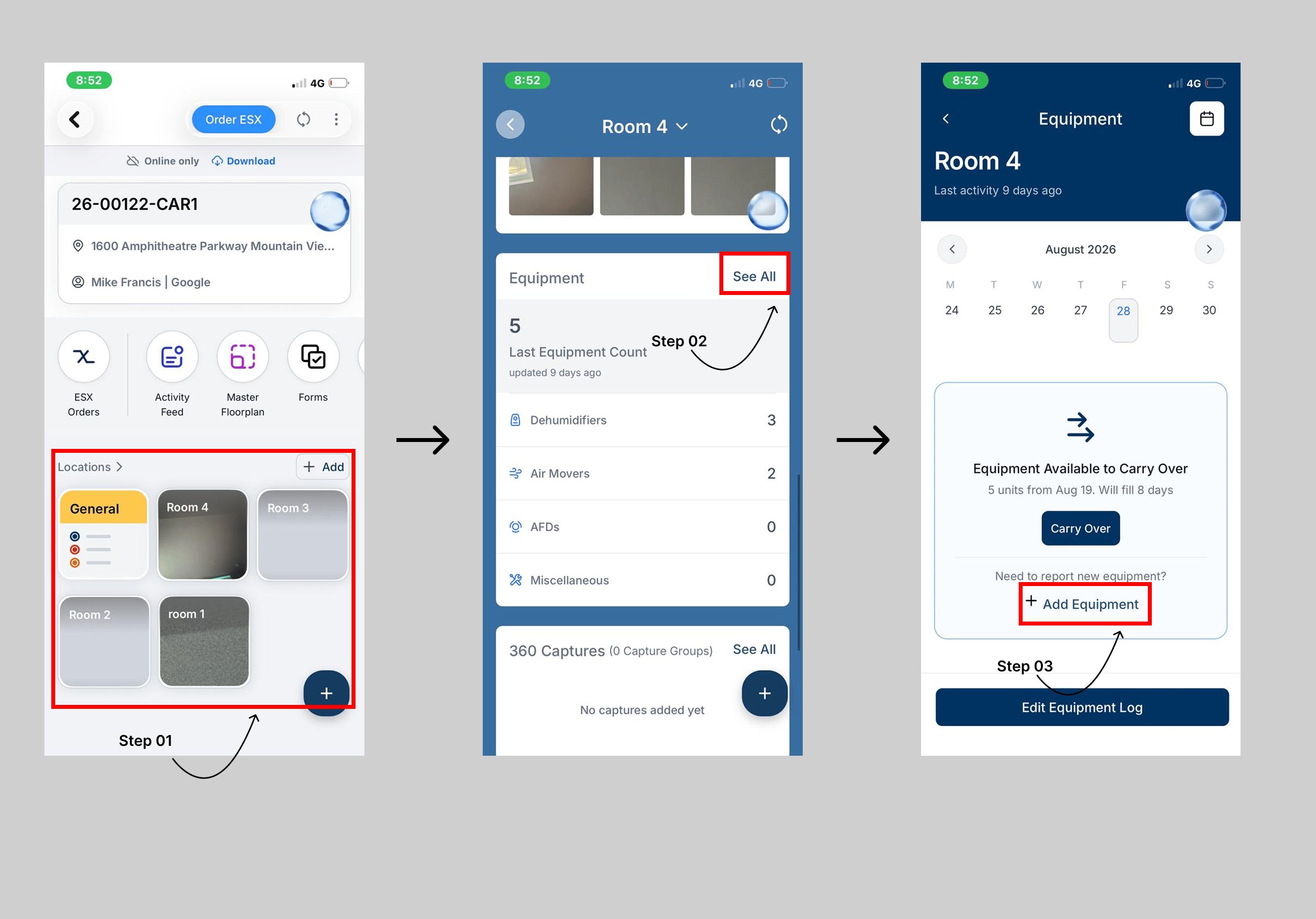
To add equipment:
- Open the job where you want to add equipment.
- Select Locations.
- Select the location where you want to add the equipment.
- Scroll down to the Equipment section.
- Click See All.
- On the Equipment page, click Add Equipment.
- Enter the required equipment details and save your changes.