Who it’s for:TechnicianProject LeadAdmin
Available on:WebMobile
Both options include a $99 submission fee per estimate type. The timing of the other charges depends on which payment method you use.
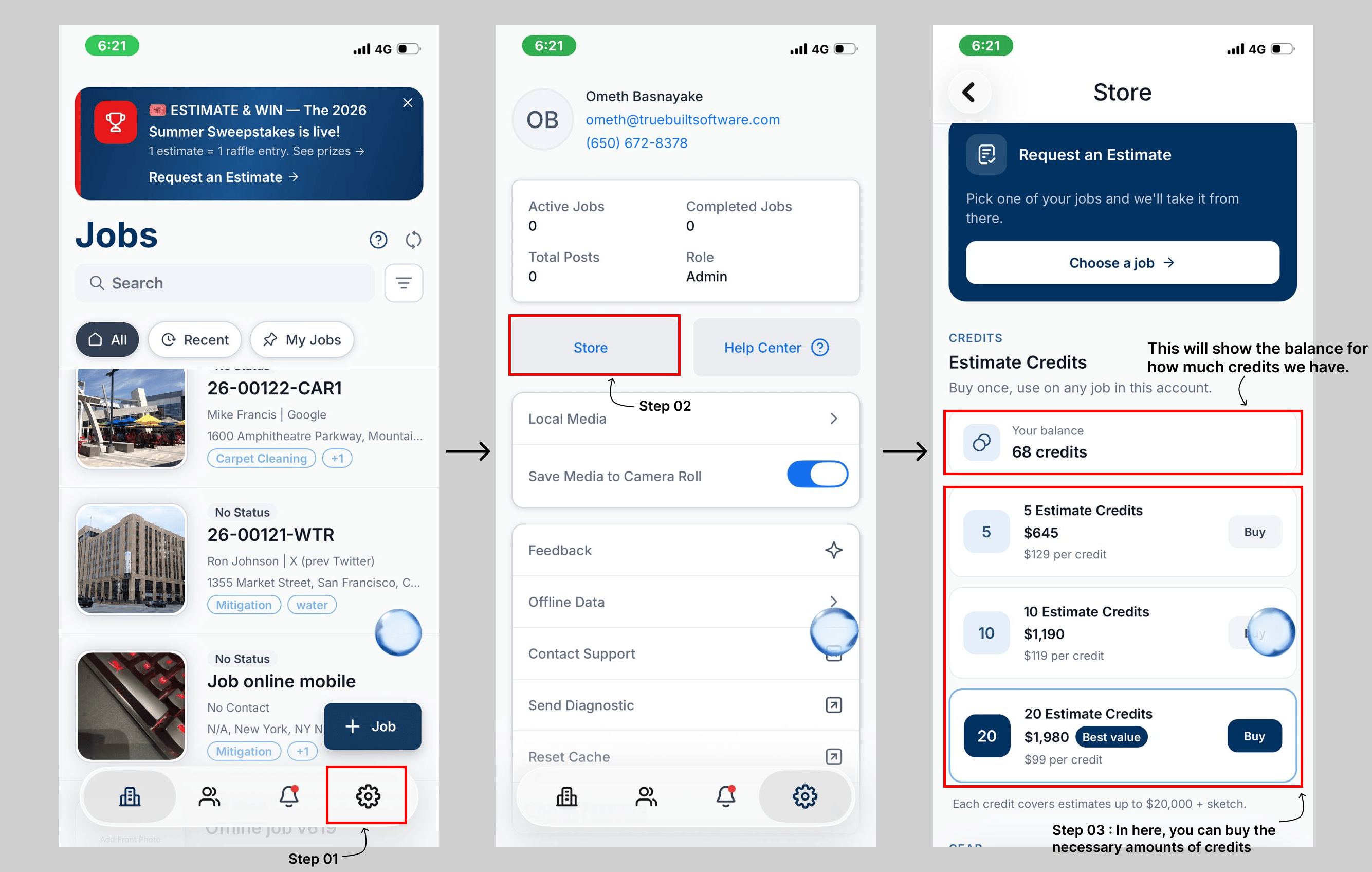
Estimate Credits
Estimate Credits are prepaid credits that you purchase in packs of 5, 10, or 20.- One credit covers up to $20,000 of estimate value.
- Credits do not expire.
- A $99 fee per estimate type is charged when you submit the request.
- If the final estimate is worth more than the credits you applied cover, you can add additional credits when you accept the estimate to cover the difference.
Example
If an estimate is $35,000 and you apply 1 credit:- 1 credit covers the first $20,000.
- The remaining $15,000 is subject to the applicable overage calculation.
Pay as You Go
With Pay as You Go, you don’t need to purchase credits in advance.- A $99 fee per estimate type is charged when you submit the request.
- The first $6,600 of estimate value is included in the pay-as-you-go threshold.
- Any amount above $6,600 is charged at 1.5% when you accept the estimate.
Example
For a $35,000 estimate with no credits applied: ($35,000 − $6,600) × 1.5% = $426Using Credits with Pay as You Go
Credits can be added to the pay-as-you-go threshold when you accept an estimate. For example, if you apply 1 credit, the threshold increases from $6,600 to $26,600: ($35,000 − $26,600) × 1.5% = $126 Credits are added to the pay-as-you-go threshold rather than replacing it. Applying credits therefore reduces the amount subject to the overage fee. If you submit an estimate using credits and don’t have enough credits available, you must either purchase additional credits or switch to Pay as You Go before resubmitting. TrueRestore does not automatically charge your card for the difference.Buying and Managing Credits
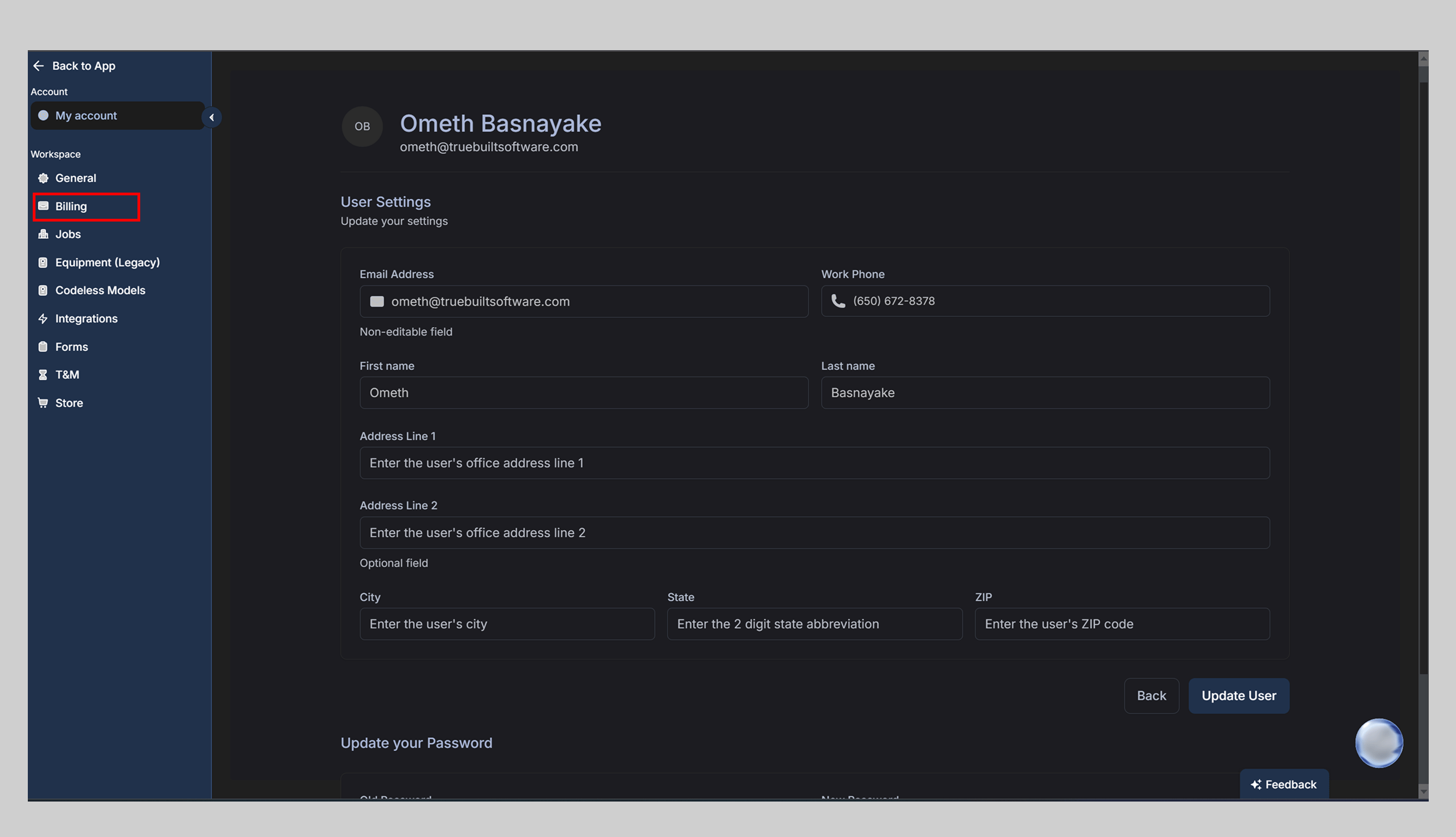
To purchase estimate credits:- On web, go to Settings → Store (Admins only). On mobile, open the Profile tab and select Store — available to every role.
- Choose a credit pack of 5, 10, or 20 credits.
- Complete the purchase.